

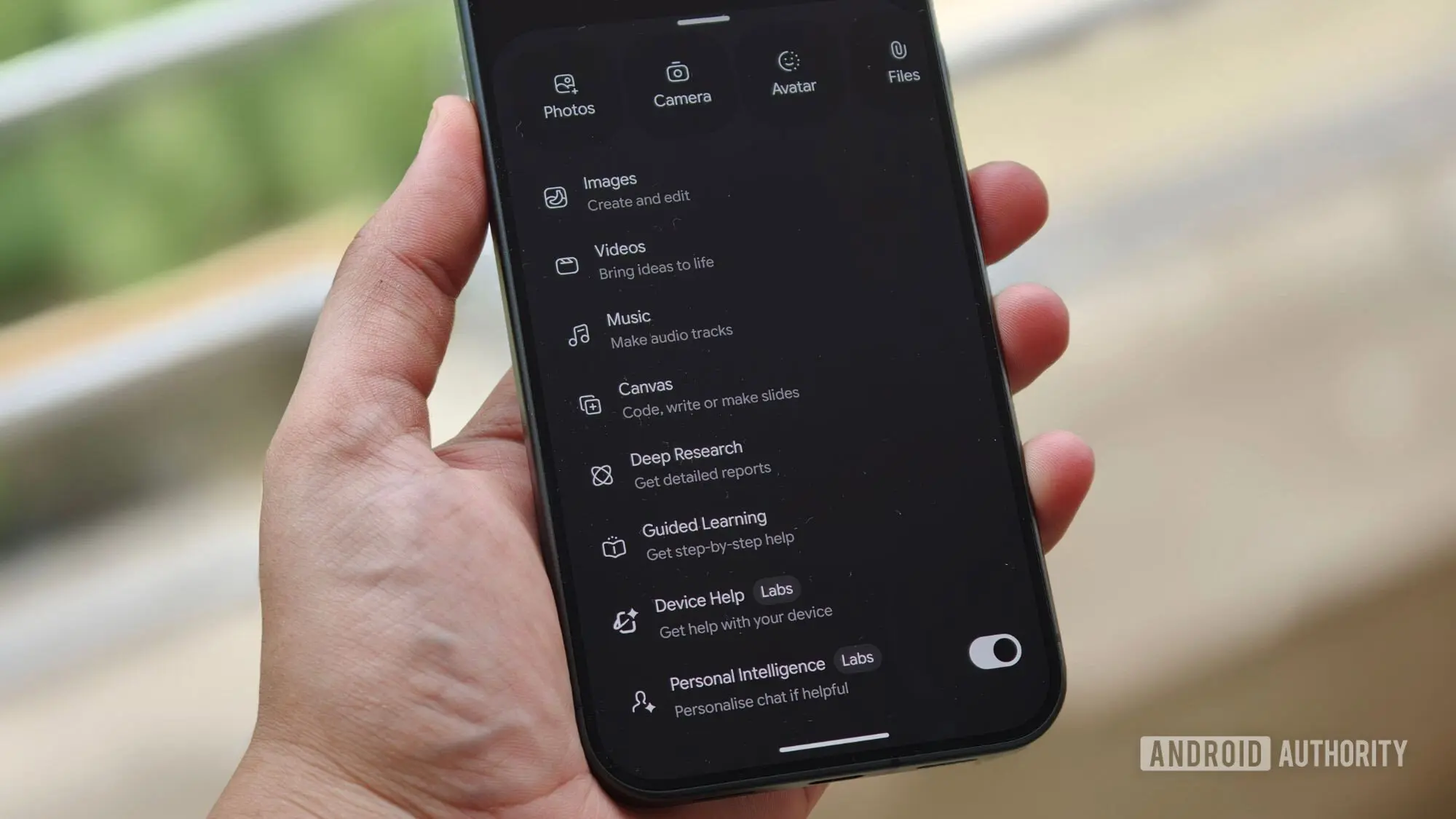
The latest Pixel 11 series introduced a new Gemini-powered capability called Device Help, designed to let users control their phone's settings through natural language prompts. At first, it seemed like a Pixel 11 exclusive, but Google has now clarified that Device Help is rolling out to all Pixel phones running Android 17. This expanded availability means more users can take advantage of an AI assistant that can interpret requests like “make my phone comfortable to use at night” and then automatically surface the relevant settings, even offering to apply several changes in one tap.
What is Device Help?
Device Help is a feature within the Gemini app that leverages large language models to understand what a user wants to accomplish on their Android device. Rather than navigating through multiple menus and submenus, users can type or speak a prompt describing their goal. The AI then returns a curated list of settings that match the request, along with the ability to execute changes directly. For example, a prompt about reducing eye strain might bring up dark mode, blue light filter, and auto-brightness options.
The feature is particularly useful because modern Android devices have hundreds of settings scattered across various apps and system menus. Finding a specific toggle can be cumbersome, especially for less tech-savvy users. Device Help effectively acts as a knowledgeable guide, eliminating the need to know exactly where a setting lives. Google’s approach is similar to how virtual assistants have evolved from simple command execution to more complex, context-aware actions.
Availability and Google’s Announcement
The confirmation came from Google’s Minhaz A V, who posted a demonstration video on X (formerly Twitter). In the video, Device Help is shown processing a request to make the phone “comfortable to use at night,” and it quickly surfaces dark mode and brightness settings. The accompanying tweet stated that the feature is available on Pixel devices running Android 17 and that it will expand to more devices in the future. This is a notable shift from the initial assumption that Device Help would remain a Pixel 11 series exclusive.
While Minhaz did not name specific upcoming devices, it is likely that any phone running Android 17 will eventually receive the feature. Today, Android 17 is still relatively new, and devices running it include the Pixel 6 and newer, as well as the Pixel 11 series. That already covers a significant portion of Google’s recent hardware lineup. The promise of broader support signals that Google views Device Help as a core part of the Android experience rather than a one-off flagship gimmick.
How Device Help Works
Device Help integrates directly into the Gemini app, making it accessible through the same interface users already employ for AI queries. When a user enters a prompt, Gemini processes it using its language understanding abilities and cross-references it with a database of Android settings. The AI then presents the most relevant actions in a simple, visual format. Users can choose to apply a single change or tap a button to apply multiple changes simultaneously. This is a significant time-saver compared to manually adjusting each setting.
The feature also appears to support troubleshooting questions. Instead of searching for solutions to an issue, users can describe a problem and receive step-by-step guidance. For example, if a phone is experiencing battery drain, Gemini might suggest checking battery usage, turning off background apps, or enabling power saving mode. This positions Device Help as a comprehensive companion for understanding and optimizing an Android device.
Early Impressions and Mixed Results
Initial testing of Device Help has revealed both promise and inconsistency. In one series of tests on two different Pixel 11 devices, asking for help with the phones’ Magic Capture camera feature returned two different sets of instructions. This kind of variability is common with generative AI, but it is particularly important for a feature that aims to be a reliable assistant. If a user cannot trust the instructions to be accurate, they may revert to manual navigation.
Despite these hiccups, the underlying concept is strong. Android’s settings menu is vast, and many users are unaware of features that could improve their daily experience. Device Help has the potential to surface hidden capabilities and simplify configuration. As Google collects more data and refines the underlying models, the accuracy of instructions is likely to improve. The company has a track record of iterative development, and Device Help should benefit from similar refinement cycles.
The Context: Android 17 and Pixel Phones
Android 17 is the latest version of Google’s mobile operating system, bringing new features and improvements to Pixel devices. It is currently available on Pixel 6 and newer, including the recently launched Pixel 11 series. The expansion of Device Help to all Android 17 devices is a strategic move by Google, ensuring that a wider audience can experience the benefits of AI-driven device management. It also creates a more uniform experience across the Pixel lineup, reducing the exclusivity of flagship features.
For users with older Pixel phones, the arrival of Device Help is a welcome addition. It demonstrates Google’s commitment to supporting devices for several years with feature drops and AI enhancements. The fact that a feature debuted on the Pixel 11 is now reaching the Pixel 6 is a positive sign for the longevity of Pixel hardware. With more devices expected to receive Android 17 in the coming months, the reach of Device Help will likely expand further.
Future Prospects and Expansion
Google has stated that Device Help is coming to more devices in the future, though specific timelines have not been announced. This could mean expansion to non-Pixel Android phones, such as those from Samsung, OnePlus, and Motorola. It could also mean support for Android tablets or other form factors that run Android 17. The key requirement is likely the presence of Android 17, as the feature relies on the OS’s settings framework and Gemini integration.
If Device Help becomes available on a wide range of devices, it could become a standard tool for Android users. It aligns with Google’s broader strategy of injecting AI into every layer of the operating system. From call screening to photo editing, AI is rapidly becoming a core component of the Android experience. Device Help is another example of how this trend can simplify mundane tasks and empower users to get more out of their devices.
Challenges and Considerations
One of the main challenges for Device Help is ensuring that the AI correctly interprets user intent. Natural language is inherently ambiguous, and the same prompt can have different meanings depending on the user’s context. Google will need to invest heavily in training the model to handle diverse queries accurately. Additionally, the feature must be able to handle edge cases, such as prompts that reference user-specific settings or third-party app controls.
Privacy is another consideration. Device Help processes user queries on Google’s servers, which might raise concerns for some users. Google has stated that Gemini queries are handled with privacy in mind, but the trade-off between convenience and data sharing is a personal one. Users who prefer on-device processing may be hesitant to use the feature, though Google could eventually offer local processing options.
Despite these challenges, the introduction of Device Help marks a meaningful step forward in human-computer interaction. By allowing users to communicate with their phone in natural language, Google is making technology more accessible to everyone. The feature is not a replacement for traditional settings navigation but rather an addition that lowers the barrier to customization.
As the rollout expands and the AI improves, Device Help is likely to become an invaluable tool for Pixel owners and, eventually, for the broader Android ecosystem. The mixed results from early testing are a reminder that AI is still a work in progress, but the potential is undeniable. With Android 17 serving as the foundation and Gemini as the engine, Device Help is a feature to watch in the coming months.
Source: Android Authority News