

Why choosing a charger has become so confusing
Not long ago, buying a charger was straightforward: you used the one that came in the box. But as smartphone manufacturers increasingly omit chargers from retail packaging, consumers are left to navigate a maze of technical jargon. Terms like USB Power Delivery, Programmable Power Supply, Quick Charge, and Gallium Nitride appear on product boxes, but few people understand what they actually mean. This confusion leads to wasted money on chargers that either underperform or cost more than necessary.
The shift from USB-A to USB-C was supposed to simplify things. A single port for data, video, and power across all devices seemed like a universal dream. Instead, USB-C compatibility has created a new set of challenges. Two chargers with identical ports and similar wattage ratings can behave completely differently depending on which charging protocols they support. The result: consumers often end up with a charger that technically works but fails to deliver the speed their phone is capable of.
This article breaks down the most common charger acronyms and specifications into plain English. Whether you're upgrading to a multi-device GaN charger or just looking for a fast charger for your Android phone, understanding these terms will help you make an informed purchase.
Understanding the key charging technologies
USB Power Delivery (USB PD)
USB Power Delivery is an industry-standard charging protocol that enables devices to negotiate power delivery. Instead of supplying a fixed voltage, USB PD allows the charger and device to communicate dynamically. This negotiation determines the optimal voltage and current for safe and efficient charging. For example, a USB PD charger might deliver 5V for a pair of earbuds, 9V for a smartphone, and 20V for a laptop. The standard supports power levels up to 240W with the latest USB PD 3.1 specification, making it suitable for everything from wearables to high-end notebooks.
Most modern Android phones and Apple iPhones (since the iPhone 8) support USB PD. This broad compatibility means a single USB PD charger can fast-charge your phone, tablet, and laptop—provided the charger has enough wattage. When shopping, look for the USB PD logo or the words “USB Power Delivery” on the packaging.
Programmable Power Supply (PPS)
Programmable Power Supply is an enhancement to USB PD. While standard USB PD adjusts voltage in fixed steps (e.g., 5V, 9V, 12V), PPS allows continuous fine-tuning. The charger can adjust the voltage in millivolt increments based on real-time feedback from the device's battery management system. This granular control reduces heat generation and improves charging efficiency, which is particularly beneficial for maintaining long-term battery health.
PPS is essential for fast charging technologies from Samsung (Super Fast Charging 2.0) and Google (for Pixel phones). If you own a recent Samsung flagship, you'll need a PPS-enabled charger to achieve its maximum 45W charging speed. Lower-end Samsung models cap at 25W, but even then, PPS helps keep temperatures lower. When buying a charger, check the product specifications for “USB PD 3.0 PPS” support.
Qualcomm Quick Charge (QC)
Quick Charge is Qualcomm's proprietary fast-charging technology. It's available on devices with Snapdragon processors, although the technology is licen sable to other chipset makers. Quick Charge has evolved through several versions: QC 1.0 delivered up to 10W, QC 2.0 and 3.0 increased voltage options, and QC 4+ and 5 now support USB PD compatibility. The latest QC 5 can deliver up to 100W, significantly reducing charging time.
Quick Charge chargers are backward compatible, but the speed will drop to the highest version your device supports. For example, a QC 5 charger will still fast-charge a QC 2.0 phone, but only at QC 2.0 speeds. Many third-party chargers advertise Quick Charge support, but be aware that it's a licensing technology—genuine QC chargers pay royalties to Qualcomm, ensuring proper implementation and safety.
Gallium Nitride (GaN)
GaN is not a charging protocol but a semiconductor material used inside the charger. Traditional chargers use silicon transistors, which waste energy as heat and require bulky heatsinks. GaN transistors switch more efficiently and generate less heat, allowing manufacturers to build smaller and lighter chargers without sacrificing power output. A 65W GaN charger can be the size of a traditional 30W silicon charger.
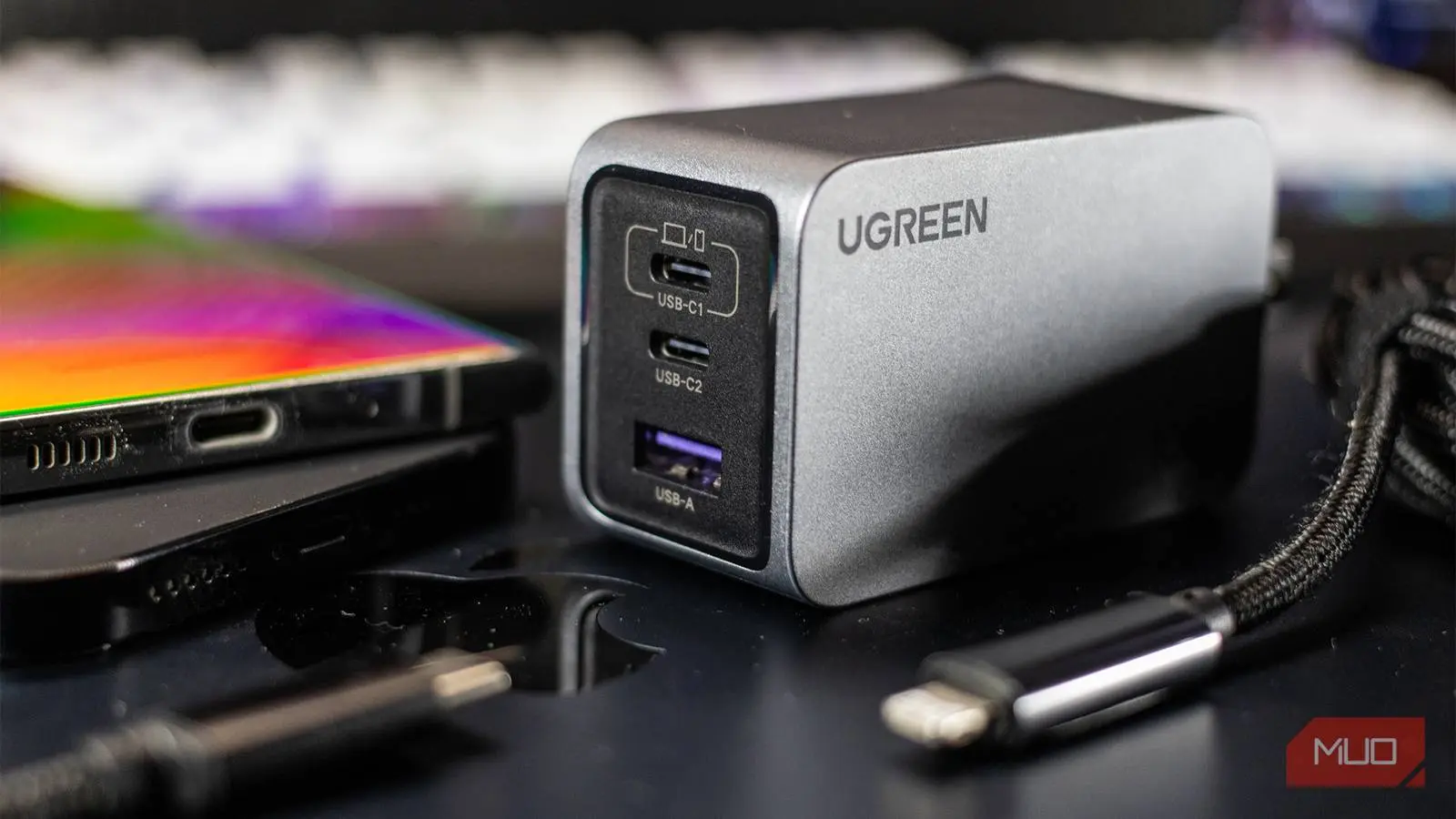
GaN chargers often come in multi-port configurations, with combinations of USB-C and USB-A ports. Because they run cooler, they are also safer for prolonged use and less likely to degrade over time. While GaN chargers tend to cost more than silicon equivalents, the premium is usually worth it for the portability and longevity they offer. Many reputable brands like Anker, Belkin, and Aukey now have extensive GaN product lines.
Proprietary charging technologies
Beyond these universal standards, many phone manufacturers have developed their own fast-charging protocols. OPPO's SuperVOOC, for instance, uses higher current (up to 10A) at lower voltage to achieve 65W, 80W, or even 150W charging on compatible devices. Motorola’s TurboPower is a variant of Quick Charge, while OnePlus’s Warp Charge (now called SUPERVOOC) is based on OPPO’s technology. Huawei’s SuperCharge and Xiaomi’s HyperCharge are other examples.
These proprietary protocols usually require both the charger and the smartphone to be from the same brand (or at least support the same standard) to reach the advertised peak speeds. Using a generic USB PD charger will still charge the phone, but at a much slower rate—often just 10W to 18W. If you want the fastest possible charging for a branded phone, you'll need to buy that brand's own charger or a third-party charger that explicitly states compatibility with your phone's proprietary protocol.
Why wattage is not the only factor
Your phone has a maximum charging limit
One of the biggest misconceptions is that a higher-wattage charger will always charge your phone faster. In reality, your phone's charging circuitry dictates the maximum power it can accept. For example, the Samsung Galaxy S24 Ultra supports 45W charging, but the iPhone 15 Pro Max is limited to 27W. Plugging a 140W charger into an iPhone 15 won't make it charge at 140W; it will still top out at 27W. Check your device’s specifications before buying a charger.
Even if a charger is rated for high wattage, the actual charging speed depends on the negotiated USB PD or PPS profile. Many chargers list their total wattage, but that may be split across multiple ports. For instance, a 65W dual-port charger might deliver 45W from one USB-C port and 20W from another when both are used. Single-port output can be higher, but multi-port usage divides the available power.
The role of the cable
The charging cable is just as important as the charger. A cable rated for 60W will bottleneck a 100W charger. USB-C cables are rated by their current capability: standard 60W cables can handle 3A, while 100W cables handle 5A (and require electronic marker chips). For charging laptops or fast-charging phones, look for cables certified for USB PD or with a visible wattage rating. Cheap, uncertified cables may not support the necessary current and can overheat, posing a safety risk.
Fortunately, many phone manufacturers still include a cable in the box. However, if you need a spare for travel or the office, invest in a reputable brand such as Anker, Belkin, or Cable Matters. Avoid no-name cables that promise high wattage at suspiciously low prices—they often lack proper shielding and e‑markers, which can damage your device over time.
Practical tips for buying a charger
Determine your device’s needs
Before purchasing, find the maximum charging wattage your phone or laptop supports. This information is usually listed in the official specifications on the manufacturer’s website or in the user manual. For phones, you can also check sites like GSMArena. List the devices you plan to charge simultaneously. If you often charge a phone and a laptop together, a 65W or 100W multi-port GaN charger is a good choice.
Look for safety certifications
Safety is paramount. Look for chargers certified by organizations such as UL, CE, FCC, or ETL. These certifications indicate that the product has been tested for electrical and fire safety. Avoid chargers that lack any certification logos, as they may use substandard components. Additionally, choose chargers with built-in protections against overcurrent, overvoltage, and short circuits.
Consider future-proofing
Technology evolves quickly. Buying a charger that supports USB PD 3.1 (up to 240W) and PPS ensures compatibility with upcoming devices. Even if your current phone only needs 25W, a 65W GaN charger will serve you for years and can handle future gadgets like tablets, earbuds, and even Nintendo Switch. Multi-port chargers are also more versatile—you can charge your phone, smartwatch, and laptop from a single wall plug.
Finally, read reviews from trusted sources. Real-world testing often reveals differences in heat management, wattage delivery across ports, and long-term reliability that product descriptions ignore. By combining your device’s specifications with an understanding of PD, PPS, GaN, and QC, you can confidently choose a charger that delivers the right speed, safety, and value for your lifestyle.
Source: MakeUseOf News