

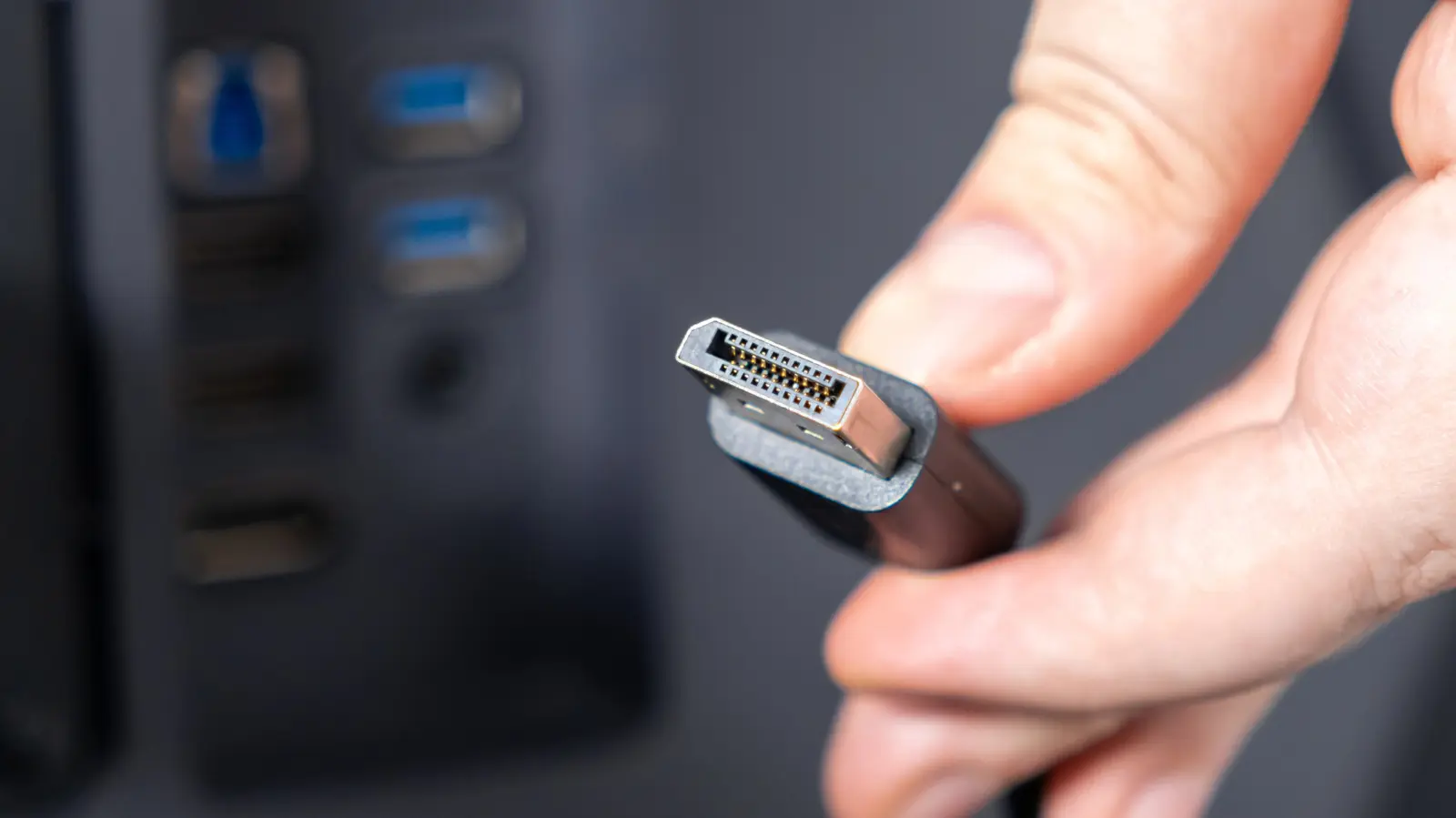
The PC market evolves at a relentless pace, and the technologies that support it must keep up. DisplayPort, the video interface standard developed by the Video Electronics Standards Association (VESA), is a prime example. As monitors and graphics cards push past the capabilities of older versions, VESA releases updated specifications to accommodate higher resolutions, refresh rates, and color depths. DisplayPort 1.4 debuted in 2016 and served as the default for nearly a decade, but it has now been superseded by version 2.1, which arrived in 2022. This upgrade represents the most significant leap in the standard's history, with the most notable change being a massive increase in data throughput.
To understand the scale of this improvement, consider the raw bandwidth figures. DisplayPort 1.4 tops out at 32.4 Gbps, but due to overhead from its encoding scheme, only about 25.92 Gbps is usable for video data. In contrast, DisplayPort 2.1's raw bandwidth reaches 80 Gbps, with approximately 77.37 Gbps remaining after overhead. That is nearly three times the usable bandwidth of the older version. This jump is not incremental; it fundamentally changes what is possible on a single cable.
Bandwidth determines almost everything a display can achieve. With DisplayPort 1.4, the ceiling was high but not without compromises. It could run 4K at 120Hz or 8K at 30Hz without compression. To go higher—such as 4K at 240Hz or 8K at 60Hz—it required Display Stream Compression (DSC), which VESA classifies as visually lossless. However, DSC introduces slight latency and complexity. DisplayPort 2.1 eliminates the need for compression in many scenarios. It can push 4K at 240Hz or 8K at 60Hz without any compression, leaving room for additional features like 10-bit color, HDR metadata, and high refresh rates simultaneously.
How DisplayPort 2.1 Achieves Higher Bandwidth
The technical foundation of DisplayPort 2.1's performance lies in two key changes. First, it supports a significantly higher link rate per lane. DisplayPort 1.4 used four lanes at a rate of 8.1 Gbps per lane (HBR3), yielding a total of 32.4 Gbps. DisplayPort 2.1 introduces UHBR (Ultra High Bit Rate) modes: UHBR 10 (10 Gbps per lane), UHBR 13.5 (13.5 Gbps per lane), and UHBR 20 (20 Gbps per lane). At UHBR 20 with four lanes, the total raw bandwidth reaches 80 Gbps.
Second, DisplayPort 2.1 adopts a much more efficient encoding scheme. DisplayPort 1.4 uses 8b/10b encoding, where every 8 bits of data are transmitted as 10 bits on the wire. This ensures clock recovery and signal integrity but wastes 20% of the bandwidth on overhead. DisplayPort 2.1 switches to 128b/132b encoding, which transmits 128 bits of data as 132 bits, reducing overhead to just 3%. This is the same encoding used by PCI Express 3.0 and later. The combination of higher link rates and lower overhead allows DisplayPort 2.1 to deliver usable bandwidth close to its raw theoretical maximum.
It is important to note that these figures represent the theoretical limits defined by the DisplayPort standard, not necessarily the performance of real-world cables. VESA certifies cables under DP40 or DP80 specifications. A DP40 cable supports up to UHBR 10 (40 Gbps total), while a DP80 cable supports up to UHBR 20 (80 Gbps total). Cable quality, length, and shielding matter, and users should look for certified cables to ensure full bandwidth.
Despite the differences, DisplayPort 2.1 and 1.4 are backward compatible. They use the same physical connector shape—the standard DisplayPort or Mini DisplayPort—so plugging a DP 2.1 graphics card into an older DP 1.4 monitor works fine. The link simply drops to the highest common speed supported by both ends. This ensures that users can upgrade components gradually without breaking their existing setups.
Do You Actually Need DisplayPort 2.1?
DisplayPort 1.4 remains highly capable for most users. It supports 4K at 120Hz or 8K at 30Hz without compression, and with DSC (version 1.2a), it can achieve 4K at 240Hz or 8K at 60Hz. The visual quality of DSC is excellent; most viewers cannot distinguish between compressed and uncompressed content in blind tests. For everyday computing, office work, and even casual gaming, DisplayPort 1.4 is more than sufficient.
However, DisplayPort 2.1 becomes advantageous in scenarios that push bandwidth limits. For instance, driving a 4K 240Hz monitor with full 10-bit color and HDR requires around 48 Gbps of usable bandwidth, which exceeds DisplayPort 1.4's maximum. With DSC, it might fit, but DisplayPort 2.1 handles it without any compression, reducing latency and potential artifacts in fast-changing scenes. Similarly, for 8K at 60Hz with HDR, DisplayPort 2.1 is the only uncompressed solution.
Multi-monitor setups also benefit greatly from the higher bandwidth. DisplayPort 1.4 can daisy-chain two 4K monitors at 60Hz or one 4K 120Hz and one 4K 60Hz, but it quickly reaches the limit. DisplayPort 2.1 allows daisy-chaining multiple high-resolution, high-refresh-rate monitors without compromising performance. For creative professionals using multiple 5K or 8K displays, the extra bandwidth is invaluable.
As of 2026, DisplayPort 2.1 is widely available on high-end hardware. NVIDIA's GeForce RTX 50-series GPUs include it, as do AMD's Radeon RX 9000 series. Many 4K 240Hz OLED monitors from brands like Samsung, LG, and ASUS ship with DisplayPort 2.1 ports. Even some laptops and docking stations now support UHBR speeds. The cost of adoption is moderate: VESA-certified DP80 cables cost around $20, compared to a few dollars for a basic DP 1.4 cable. For users who demand the absolute best performance today, the investment is worthwhile.
It is also worth considering future-proofing. While DisplayPort 1.4 is adequate for current mainstream monitors, future displays with 480Hz, 8K at 120Hz, or dual-4K ultrawide panels will need the bandwidth of DisplayPort 2.1 or beyond. For those planning a new high-end gaming or workstation build, opting for DisplayPort 2.1 now avoids the need to upgrade cables and monitors later.
Another technical aspect is the support for new display features. DisplayPort 2.1 includes updates to VESA's Adaptive-Sync standard, which underpins technologies like G-Sync and FreeSync. It improves flicker reduction and low-latency performance. Additionally, DisplayPort 2.1 supports higher bit depths (up to 16-bit per channel) for professional color-critical applications, though such monitors remain niche.
In summary, the choice between DisplayPort 1.4 and 2.1 depends on your specific needs. If you are using a single 4K 60Hz or 144Hz monitor, or even two such monitors, DisplayPort 1.4 is likely sufficient. But if you aim for high-end gaming at 4K 240Hz without compression, professional photo or video editing on high-resolution displays, or a multi-monitor setup with several 8K panels, DisplayPort 2.1 delivers the necessary headroom. The backward compatibility ensures that upgrading piece by piece is painless, and the growing ecosystem of certified cables and devices makes adoption easier than ever.
Source: SlashGear News